Duplex Mismatch Explained: The Link That Is Up, Green, and Broken
A duplex mismatch is the fault that passes every casual check: the link is up, the lights are green, a ping goes through — and a file copy crawls. One end of the cable is running full duplex, sending and receiving at the same time, while the other end runs half duplex, politely taking turns and treating the other side's transmissions as collisions. It is almost always self-inflicted: someone hard-set speed and duplex on one end only, and the auto-negotiating end quietly fell back to half duplex. This guide explains why that fallback is exactly what the standard requires, how to read the damage in the error counters, and the fix order.
The short answer
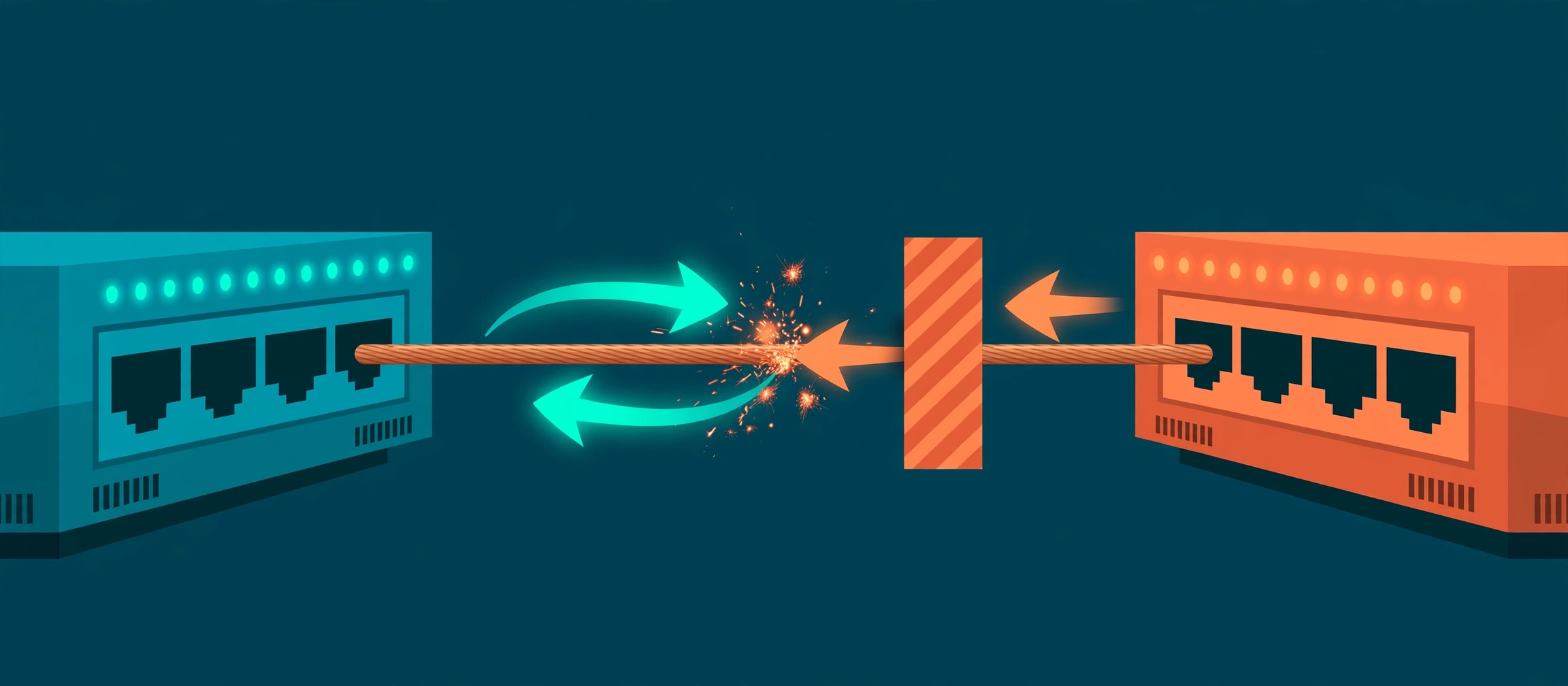
What is a duplex mismatch? A duplex mismatch is when the two ends of one Ethernet link run different duplex modes: one end full duplex, able to send and receive at the same time, and the other end half duplex, able to do only one at a time. It happens because of one configuration mistake — hard-setting speed and duplex on ONE end of a link while leaving the other end on auto-negotiation. The hard-set end stops advertising, so the auto end works out the speed on its own but has no way to learn the duplex, and at 10/100 Mb/s it defaults to half duplex. The link comes up, both lights go green, and then the two ends play by different rules on the same cable: the full-duplex end transmits whenever it likes, and the half-duplex end keeps calling those transmissions collisions. Cisco devices that spot it via CDP log %CDP-4-DUPLEX_MISMATCH. The fix is to make the ends agree — both auto, or both hard-set identically.
Picture a two-lane road where one driver has been told it is a motorway and the other believes it is a single-track lane with passing places. The motorway driver just drives, in both directions at once. The single-track driver keeps stopping, reversing, and waiting — and from their seat, the other driver looks reckless, crashing into them again and again. Neither driver is broken. The road signs disagree. That is a duplex mismatch, and the reason it fools people is that at 3 a.m. with no traffic, the single-track driver gets through fine — the fault only bites when the road gets busy.
How the mismatch gets built: one hard-set end
Auto-negotiation (IEEE 802.3 Clause 28) works by the two ends exchanging bursts of pulses that encode their capabilities — the speeds and duplex modes each supports — and picking the best they share. The crucial detail is what happens when one end is hard-set. A port configured with an explicit speed 100 and duplex full does not send those negotiation pulses: as far as it is concerned, there is nothing to negotiate. Its partner, still set to auto, listens for pulses, hears none, and falls back to parallel detection: it watches the incoming signal directly and recognises the speed from it — 10 or 100 Mb/s. But the signal alone carries no duplex information, so the standard tells the auto end to assume the safe legacy default: half duplex. Result, every time: the hard-set end runs 100/full, the auto end runs 100/half, the link is up — and mismatched. Cisco's own autonegotiation guide states the rule flatly: both sides of a link must have autonegotiation on, or both sides must have it off.
One honest boundary: this classic trap is a 10/100 Mb/s story. On Cisco gear an auto end that detects 1000 Mb/s defaults to full duplex, not half, and 1000BASE-T (gigabit over copper) requires auto-negotiation by standard — it also negotiates which end is the timing master, which hard-setting cannot do. Links at 10 Gb/s and above are full duplex only; there is no half duplex to fall back to. So when you inherit a %CDP-4-DUPLEX_MISMATCH, think Fast Ethernet: switch-to-server links, old IP phones and printers, industrial gear, and any port someone "fixed" years ago by hard-setting one side.
Neither end is faulty. Each is correctly following its own rulebook — the rulebooks simply disagree about whether the cable is a two-way street or a single-track lane.
Why "up and working" collapses under load
Half duplex is not just "slower full duplex" — it runs a whole collision protocol, CSMA/CD, that full duplex switches off entirely. The half-duplex end listens before transmitting, stops if it hears the other side, and if both transmit at once it declares a collision, sends a jam signal, waits a random back-off, and tries again. Against a full-duplex partner, that protocol misfires constantly. The full end never listens and never backs off, so it routinely starts transmitting while the half end is mid-frame. If that happens late in the frame — after the first 512 bits, the point by which a genuine collision on a healthy link would already have been detected — the half end records a late collision, aborts the frame, and backs off. The full end, meanwhile, receives the truncated, jam-damaged remains and logs them as runts (frames shorter than the 64-byte minimum) and FCS/CRC errors (frames whose checksum does not add up).
Now scale that by traffic. One small packet at a time — a ping, a login, a health check — the half end usually finds a quiet moment and gets it through, so the link "works" in every quick test. Put a real load on it — a backup, a file copy, a busy morning — and a rising share of frames are destroyed and retransmitted, the half end spends its time backing off, and throughput falls off a cliff while latency and packet loss climb. This is the signature users report: the link is up, the speed says 100, and it performs like it is broken only when people actually use it. It is also why duplex mismatches survive for months: they hide from every light-traffic check and only hurt under load, exactly when nobody wants to take the link down to look.
Reading the evidence: the asymmetric fingerprint
You do not diagnose a mismatch from one side; you diagnose it from the disagreement between the two sides, and it takes two minutes. First, compare what each end is actually running — not what the config says, what the port negotiated or was forced to: show interfaces Gi1/0/1 status on both ends (or show interfaces Gi1/0/1 for the full detail). One end will say full, the other half. That alone is the diagnosis; everything else is confirmation. Second, read the error counters on both ends with show interfaces Gi1/0/1 counters errors. The fingerprint is split by side: late collisions climb on the half-duplex end, and CRC/FCS errors and runts climb on the full-duplex end. Ordinary collisions on the half end can occur on any busy half-duplex segment, but late collisions should be zero on a healthy link — a growing late-collision count on a point-to-point link is as close to a signed confession as counters give. Note the numbers before you change anything: after the fix, "the counters stopped climbing" is your proof.
If the devices run CDP, the network may have been telling you all along. The site's decoder entry for %CDP-4-DUPLEX_MISMATCH shows the sample: duplex mismatch discovered on GigabitEthernet1/0/1 (not half duplex), with Switch GigabitEthernet0/2 (half duplex) — "not half duplex" is the logging device saying "I am full," and the message names the partner port that is half. CDP learns this because the two devices tell each other their duplex in CDP messages even though the link itself could not negotiate it. Two cautions: the message repeats while the mismatch persists, so a log full of it is an old fault, not a new storm; and CDP only exists between devices that speak it — a server or a non-Cisco end stays silent, and the counters become your only witness.
The fix, in order
Step 1 — make both ends agree, preferably on auto. The standing best practice, and Cisco's recommendation, is speed auto and duplex auto on both ends: modern gear negotiates reliably, and auto/auto is the only combination that cannot silently produce this fault. If a device genuinely cannot negotiate — some legacy and industrial equipment — then hard-set the exact same speed and duplex on both ends, in the same change, and write down why. The one combination that is never correct is the one that caused this: one end hard-set, the other auto. Expect the link to bounce when you change either end; do it in a window, or accept a few seconds of outage on an access port.
Step 2 — verify with counters, not with a ping. Clear the counters (clear counters Gi1/0/1) or note their values, put the link back under its normal load, and re-read them: late collisions, CRC/FCS and runts should sit still. Then confirm both ends now report the same speed and duplex in show interfaces status. A successful ping proves almost nothing here — remember, the mismatched link pinged fine too.
Step 3 — stop it coming back. Mismatches are usually archaeology: a hard-set command left from a long-forgotten workaround, a config copied from another port, or a replaced device whose fresh auto port met a switch port hard-set for its predecessor. When you fix one, grep the configuration for other hard-set ports (show running-config | include duplex is a start) and check their partners too — the same hand usually set more than one. And if a port is hard-set, the reason should live in a comment or a ticket, because the next engineer who replaces the far end will otherwise rebuild this exact fault. For the wider "link up, traffic wrong" family — VLANs, trunks, and the ping path across them — Ping Across VLANs is the companion walk-through.
Not to be confused with: speed mismatch and one-way links
Two neighbours get confused with this fault. A speed mismatch (one end 100, the other 1000) is blunter: the ends cannot even agree on the signalling rate, and the link simply stays down — annoying, but honest, and never mistaken for a working link. A unidirectional link is the opposite failure shape: physically broken in one direction while looking up, the fault UDLD exists to catch. The duplex mismatch sits between them in sneakiness: physically perfect, logically up, and broken only in the rules. If the link is up, the speed matches on both ends, and the duplex column disagrees — you have found it.
Try it yourself
Before a hard-set port bites, audit for the pattern with the free Network Config Verifier — paste the configurations from both ends of a link and review their interface settings side by side — and map which device connects to which with the free Config-to-Topology Mapper, so you know every link whose two ends you need to compare. When the log line is what you have, open the decoder entry for %CDP-4-DUPLEX_MISMATCH and work its checks in order: running duplex on both ends first, counters second, agreement last.
Fact-check sources: the rule that both sides must run auto-negotiation or both must have it off, that one hard-set end with an auto partner is the most common cause of 10/100 performance problems, and the configuration commands — Cisco, Configure and Verify Ethernet 10/100/1000Mb Half/Full Duplex Auto-Negotiation (document 10561-3). The parallel-detection behaviour (the auto end detects 10/100 speed from the signal but cannot detect duplex, and defaults to half duplex at 10/100 and full duplex at 1000 on Cisco interfaces), and 1000BASE-T's mandatory auto-negotiation under IEEE 802.3ab — IEEE 802.3 Clauses 28 and 40 as summarised in Cisco's guide and Cisco Community documentation. The late-collision definition (a collision detected after the first 512 bits / 64 bytes of a frame) and the counter split (late collisions on the half-duplex side; FCS/CRC errors and runts received on the full-duplex side) — standard Ethernet CSMA/CD behaviour as documented in Cisco interface troubleshooting documentation. The %CDP-4-DUPLEX_MISMATCH sample message, its listed causes and its checks (show interfaces status; show interfaces counters errors) are quoted from the site's own decoder entry, sourced from Cisco CDP and Ethernet negotiation documentation.
Related guides
- A duplex mismatch means the two ends of one link disagree: one runs full duplex (send and receive simultaneously), the other half duplex (one direction at a time). The link stays up and passes light traffic, which is why it survives casual checks — the damage appears under load.
- The cause is almost always one hard-set end. A port hard-set to speed and duplex stops sending auto-negotiation pulses; the auto end can still sense the speed (parallel detection) but cannot sense duplex, so at 10/100 Mb/s the standard makes it default to half duplex. Hard-set one side only and you have built a mismatch.
- The counter fingerprint is asymmetric: late collisions climb on the half-duplex side, while the full-duplex side collects the wreckage as CRC/FCS errors and runts. If you see that split across one link, you do not need to guess.
- The fix is agreement, not a favourite setting: set BOTH ends to auto-negotiation (the modern default and Cisco's recommendation), or, only when a device truly cannot negotiate, set the exact same speed and duplex on both ends. Never hard-set one side only — and verify by watching the error counters stop climbing.