Wi-Fi 6E and 6 GHz Channel Planning Explained: The Empty Highway Above 5 GHz
Wi-Fi 6E did not make Wi-Fi faster by magic. It opened a whole new band — 6 GHz — that is wide, empty, and free of the old devices that clog 2.4 and 5 GHz. Planning channels there is genuinely different: there are so many wide channels that the old scarcity rules stop applying, and a new set of rules (PSC channels, low-power-indoor limits, AFC for outdoor use) takes over. This article explains the band in plain English and works one small-office plan end to end.
The short answer
What is Wi-Fi 6E, in simple terms? It is Wi-Fi 6 with a whole extra band to breathe in. In April 2020 the US regulator (the FCC) opened 1,200 MHz of spectrum between 5.925 and 7.125 GHz — the 6 GHz band — for unlicensed Wi-Fi. Wi-Fi 6E devices (and Wi-Fi 7 devices after them) can use it; nothing older can. A channel plan for 6 GHz is therefore not about fighting for scraps. It is about choosing a sensible width, parking each access point on a preferred scanning channel, and respecting two power classes — and those three decisions are this whole article.
Think of the older bands as roads. The 2.4 GHz band is a narrow old street everyone has used for decades: microwaves, baby monitors, and every neighbour's router all crawl along it. The 5 GHz band is a proper multi-lane road, but it has filled up too, and parts of it close whenever radar is around (the DFS channels, explained below). The 6 GHz band is a brand-new motorway built beside them: far wider than both, freshly paved, and — this is the part that changes everything — only new vehicles are allowed on it. No twenty-year-old devices crawling in the fast lane, because old devices cannot even see the band.
What the band actually gives you
The headline number is 1,200 MHz, and it helps to feel how large that is in channels, because channels are what you plan with:
| Channel width | Channels in US 6 GHz | Honest use |
|---|---|---|
| 20 MHz | 59 | Very dense venues that trade speed for sheer separation |
| 40 MHz | 29 | Dense offices with many APs |
| 80 MHz | 14 | The multi-AP sweet spot — fast, and plenty to go around |
| 160 MHz | 7 | A single home AP, or a flagship link with room to spare |
Two quiet facts in that table do the heavy lifting. First, none of these channels overlap each other — unlike 2.4 GHz, where neighbouring channels bleed into each other and only 1, 6 and 11 are truly separate. Second, the band is a greenfield (a fresh start): only Wi-Fi 6E and Wi-Fi 7 clients can join, and they must use modern security (WPA3, or OWE on open networks), so the plan never has to make room for a 2009 laptop dragging everyone down to its speed.
One warning before you copy any plan from a US website, this one included: the 1,200 MHz figure is American. The European Union harmonised only the lower part of the band, 5945–6425 MHz — about 480 MHz. A channel plan that uses the full US band will simply not fit in Europe. Always plan against the rules of the country the APs will actually radiate in.
Read the bar once and the planning problem changes shape: on 5 GHz, a wide-channel plan is an argument about scarcity. On 6 GHz, there is enough room that the argument is mostly about not being greedy.
Decision one: how wide?
Width is speed per device, paid for in band. A 160 MHz channel can move roughly twice the data of an 80 MHz one for a single nearby client — and it consumes two 80 MHz channels' worth of spectrum to do it, everywhere that AP can be heard. So the honest rule is about how many APs share the air. One AP at home, with no co-channel neighbours of your own: 160 MHz is a fair and simple choice, and there are seven to pick from. Three or more APs in one office: default to 80 MHz. Fourteen channels means your three APs, the suite next door, and the suite above can all be on different channels at once — and each client still gets a fast, wide lane. Only reach for 40 or 20 MHz when the building is genuinely dense (a venue, a school, a hospital floor), where separation beats per-client speed.
The trap is copying the home setting into the office: three APs all on 160 MHz have, between them, used nearly half the band, and the first neighbour who does the same turns your fast plan into a shared one — wide channels overlap more neighbours by definition. Width you do not need is interference you volunteered for.
Decision two: park on a PSC
Here is the 6 GHz detail nobody warns you about. A client joining the band cannot afford to scan all 59 channels one by one — it would take seconds. So the standard defines 15 preferred scanning channels (PSCs) — channels 5, 21, 37, 53, 69, 85, 101, 117, 133, 149, 165, 181, 197, 213 and 229 — spaced 80 MHz apart, and clients scan those first. An AP whose primary channel (the 20 MHz channel its beacons live on) is a PSC is found quickly; one whose primary is not a PSC is found late, or found via a hint overheard on another band.
The planning consequence is pleasantly simple: make every AP's primary a PSC. Because PSCs are spaced exactly 80 MHz apart, PSC primaries tile the band cleanly at 80 MHz width — two neighbouring APs on different PSCs do not overlap. At 160 MHz width, leave a PSC between neighbours (use every other PSC), because each 160 MHz channel spans two PSC spacings. This site's free Wi-Fi planner follows exactly this rule: on 6 GHz it only ever recommends PSC channels, at any width.
Decision three: know your power class
Two rules shape where 6 GHz signals may go. Indoors, APs run as low-power indoor (LPI): no database check, no coordination, but modest power and indoor use only — the building's walls are part of the interference protection. That is the class homes and offices use, and the class this site's planner assumes. Higher standard power — the class used for outdoor links and large venues — is allowed only in parts of the band and only after the AP checks an AFC system, which looks at the AP's location and says which channels are safe there, protecting licensed microwave users who were in the band first.
For the planner at a desk, the practical consequence is range. Between LPI's modest power and the simple physics that higher frequencies fade faster through walls, a 6 GHz cell is smaller than the 5 GHz cell from the same AP position. Budget for APs a little closer together, expect the 6 GHz band to serve the room the AP is in more than the room two walls away, and let 5 GHz and 2.4 GHz keep doing the long-range, through-the-building work. That is not a flaw to fix; the three bands are a team, and 6 GHz is the sprinter, not the marathon runner.
One plan, worked end to end: a three-AP small office
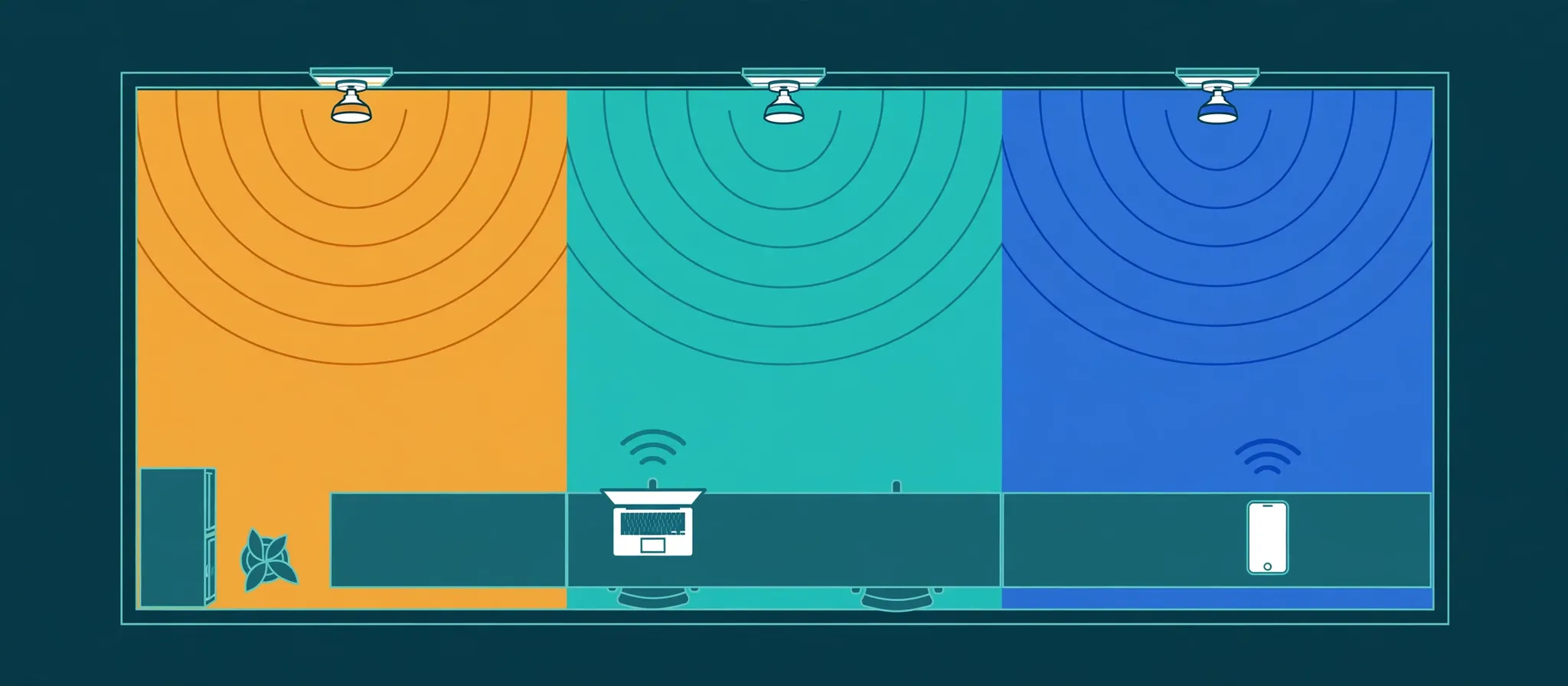
The job: a small office, three ceiling APs in a row, a mix of laptops (some Wi-Fi 6E, some older), in the US. Step one is a listen: a scan hears no other 6 GHz networks — still the common case, and exactly the greenfield advantage. The neighbours are all on 2.4 and 5 GHz, bands this plan leaves alone.
Width: 80 MHz, not 160. Three APs of your own plus future neighbours need the 14-channel menu, not the 7-channel one — and 80 MHz is already wider than anything most of these laptops ever got on 5 GHz.
Channels: three PSC primaries, spread across the band so nothing sits adjacent: AP 1 on PSC 37, AP 2 on PSC 117, AP 3 on PSC 197. Because PSCs tile at 80 MHz spacing, the three channels do not overlap; because they are far apart in the band, even the filter roll-off at each channel's edges has room. Every primary is a PSC, so a 6E laptop walking in finds all three networks on its first quick scan.
Power: LPI, indoors, no AFC involved. The APs are ceiling-mounted in the rooms they serve — nobody is asking 6 GHz to punch through to the far corridor; the corridor clients will land on 5 GHz, which is the correct outcome, not a failure.
The check: run the same three APs through the free planner below — band 6 GHz, width 80, those PSC channels, with the signal strengths you actually measure at a desk in each zone — and read its ranked recommendations. If a neighbouring 6 GHz network appears next quarter, re-run it: the planner scores your channels against everything you can hear, which is the part of planning that goes stale.
The mistakes that ruin 6 GHz plans
1. Buying 6E APs for clients that cannot use them. Only Wi-Fi 6E and Wi-Fi 7 devices see the band at all. Audit the laptop fleet first; the band may serve 20 percent of your devices — which can still be worth it, if they are the heavy users.
2. Setting 160 MHz everywhere. Fine for one AP; in a multi-AP building it spends the band's one great asset — room — on speed a single client rarely sustains.
3. Leaving the primary channel off the PSCs. Auto-channel settings that pick a non-PSC primary make joins slow and flaky-looking. The network is up; clients are just bad at finding it.
4. Copying a US plan into a European office. Roughly 480 MHz there, not 1,200. Half your channels do not legally exist.
5. Expecting 5 GHz range. LPI power and faster wall fade mean smaller cells. An install that reuses the old AP positions one-for-one often needs one more AP — that is physics presenting its invoice, not faulty hardware.
Try it yourself
Plan the worked example — or your own office — in the free Wi-Fi channel interference planner: add your three APs, set the band to 6 GHz and the width to 80 MHz, enter PSC channels 37, 117 and 197 with the signal strengths you measure, then add any neighbouring networks you can hear and read the ranked channel recommendations and the overlap graph. Change one AP to 160 MHz and watch what it does to the graph — that picture is the whole width argument in one glance. When the plan is in and a client still misbehaves, the next skill is reading its packets: 10 Wireshark Display Filters You'll Use Every Week is the plain-English place to start.
- In the US, 6 GHz means 1,200 MHz of spectrum (5.925–7.125 GHz): 59 channels of 20 MHz, 29 of 40 MHz, 14 of 80 MHz, or 7 of 160 MHz — all non-overlapping, and usable only by Wi-Fi 6E and Wi-Fi 7 devices, so there is no legacy traffic slowing the band down.
- Channel width is the big decision. One home access point can honestly use 160 MHz. A multi-AP office should default to 80 MHz: it is still fast, and with 14 of them available, neighbouring APs and neighbouring businesses stop colliding.
- Put every AP's primary channel on a PSC (preferred scanning channel) — the 15 channels clients scan first. An AP whose primary is not a PSC is simply discovered more slowly. This site's free planner only recommends PSC primaries on 6 GHz, for exactly that reason.
- Indoors, 6 GHz runs as low-power indoor (LPI) with no coordination needed; higher-power standard-power operation, usually outdoors, must first check an AFC database that protects licensed users of the band. LPI power plus a higher frequency means smaller cells than 5 GHz — plan for APs a little closer together.