BPDU Guard and PortFast Explained: Fast Ports, With a Tripwire
Spanning tree makes every new switch port wait about 30 seconds before it forwards, in case the new link creates a loop. That wait is pointless on a port that leads to one laptop — so PortFast skips it. But PortFast is a promise: nothing switch-like will ever be plugged in here. BPDU Guard is how the switch enforces that promise — the moment a spanning-tree message arrives on a guarded port, the port shuts itself down and logs %SPANTREE-2-BLOCK_BPDUGUARD. This guide explains both halves, the global-versus-interface trap in the commands, and what to do when the tripwire fires.
The short answer
What are PortFast and BPDU Guard? PortFast is a spanning-tree shortcut for ports that connect to a single end device: instead of waiting through spanning tree's listening and learning phases — roughly 30 seconds with classic spanning tree — the port starts forwarding almost immediately, so a laptop gets its network (and its DHCP address) at once. BPDU Guard is the safety lock that must travel with it. A port facing one end device should never receive a BPDU — the small spanning-tree messages only switches send. If one does arrive, something switch-like has been plugged in where it does not belong, and BPDU Guard shuts the port down on the spot, putting it in the err-disabled state and logging %SPANTREE-2-BLOCK_BPDUGUARD. PortFast is the trust; BPDU Guard is what happens when the trust is broken.
Think of a staff-only door that opens instantly for employees so nobody queues in the corridor every morning. That is PortFast: fast because everyone agrees only staff use it. BPDU Guard is the alarm on the same door — if someone walks through carrying a master key they should not have (a BPDU, which only switches carry), the door does not politely ask questions; it locks, loudly, and stays locked until a person comes to check what happened. The lock feels harsh right up until the morning it stops a visitor plugging a random switch into a wall jack and taking the whole floor's network down.
Why a normal port waits — and why end devices should not
When a switch port comes up, spanning tree does not trust it. The port walks through listening (checking whether it should block, by listening for BPDUs) and then learning (building its address table without forwarding yet) before it is allowed to forward user traffic. With classic 802.1D defaults that walk takes roughly 30 seconds. On a link between two switches the caution earns its keep: forwarding instantly on a redundant path is how loops are born, and a loop at Layer 2 has no safety valve — frames circle, multiply, and saturate the LAN, the failure the bridging-loop troubleshooting case walks through end to end.
On a port that leads to one PC, the same wait buys nothing. A single end device cannot create a loop on its own, and the wait actively hurts: the PC boots, asks for an address by DHCP, and the request can time out or retry while the port is still listening and learning. PortFast exists to delete that dead time — but only where the 'one end device, no loop possible' assumption is actually true. Cisco's own wording is blunt: PortFast is intended only for ports connected to a single end station, and enabling it on a port that links to another switch reintroduces the very loop risk spanning tree is designed to prevent, because the port forwards before spanning tree has had any chance to detect a redundant path. The fundamentals underneath — trunks, blocking ports, and why spanning tree blocks at all — are covered in VLANs, Trunks, and Spanning Tree.
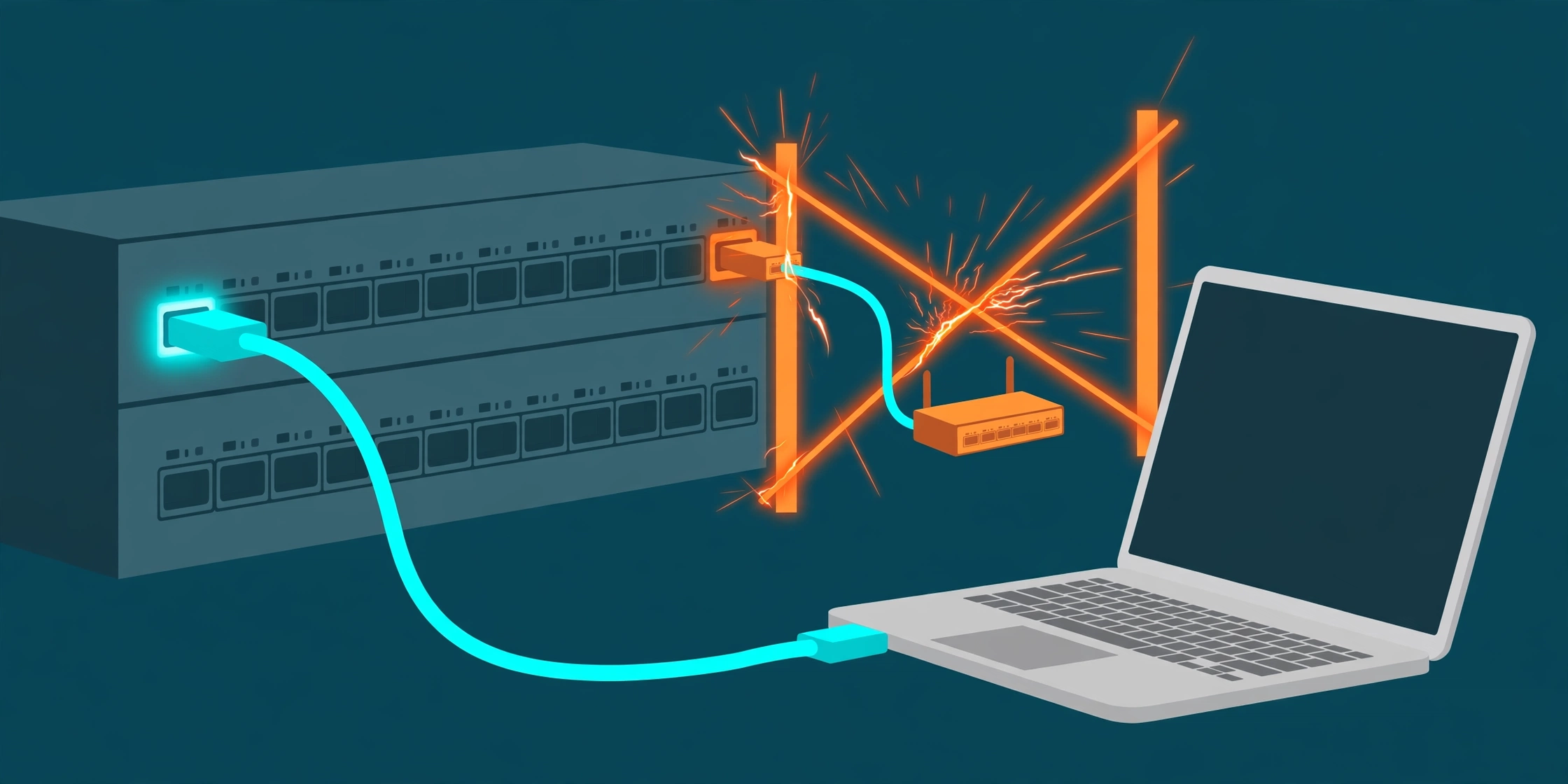
The two ports follow the same rule from opposite sides: the port that only ever sees an end device stays fast and open; the port that hears a switch's hello message closes itself before that device can join spanning tree.
What goes wrong without the guard
Here is the part engineers most often get wrong: without BPDU Guard, a PortFast port that receives a BPDU does not shut down, raise an alarm, or stay fast. It quietly loses its PortFast status and takes part in spanning tree like any ordinary port. That sounds reasonable — the newcomer joins the election and the best bridge wins — until you ask what 'best' means. Spanning tree elects the bridge with the lowest bridge ID as root, and a rogue device is free to advertise a very low priority. Cisco's own PortFast/BPDU Guard document gives the canonical example: a user's PC running a Linux bridging application sent BPDUs claiming a low bridge priority, the network elected the PC as root bridge, and the topology reshaped itself around an underpowered host — congesting links and causing an outage. Nothing malfunctioned. Spanning tree believed what it was told, because nothing on that access port was allowed to say no.
The second failure is dumber and faster: someone plugs both ends of one cable into two wall jacks, or hangs a small unmanaged switch off a desk port and loops it. On a forwarding-immediately PortFast port, that loop is live from the first frame, and the broadcast storm starts before spanning tree has finished noticing there is anything to block. BPDU Guard addresses both failures with the same blunt logic: a BPDU on this class of port is never legitimate, so the port does not negotiate with it — it closes.
BPDU Guard: the tripwire itself
BPDU Guard is deliberately simple. It is enabled on a port (how, in a moment — the two ways differ, and the difference matters). From then on, the first BPDU that arrives on that port puts the port into the err-disabled state immediately. Not blocking — spanning tree's reversible, self-healing state — but err-disabled: down, logged, and down until a person deals with it. That harshness is the design. An err-disabled port is a found fault with a flashing light on it; it forces the conversation ('what is plugged in here, and should it be?') that a quietly blocked port never does. The switch logs the pair of messages you will actually see in the wild: %SPANTREE-2-BLOCK_BPDUGUARD: Received BPDU on port GigabitEthernet1/0/5 with BPDU Guard enabled. Keeping interface in errdisable state, followed by the general err-disable line naming bpduguard as the cause.
Two honest boundaries. First, BPDU Guard is off by default — like PortFast itself, it protects only the ports someone deliberately configured. Second, it reacts to BPDUs received on guarded ports; it does not stop your own switch sending BPDUs, and it does nothing at all on ports nobody enabled it on. A network that turns on PortFast everywhere for convenience but never enables the guard has taken the risk half of the pair and skipped the safety half.
Global vs per-interface: the difference that actually matters
There are two ways to switch BPDU Guard on, and they do not cover the same ports. Mixing them up is the classic reason a network believes it is guarded when it is only partly guarded.
Globally: spanning-tree portfast bpduguard default in global configuration. This applies BPDU Guard to every port that is operating as a PortFast port — and only those. It is the right fleet setting: turn on PortFast per access port (or as the access-port default), set this one global line, and every PortFast port is guarded without a per-port line to forget on the next switch you deploy. But read the condition again: a port that is not in the PortFast state gets nothing from the global command. If a port was meant to be PortFast and is not — a missed line in a template, a port reconfigured during other work — it is unguarded, silently.
Per interface: spanning-tree bpduguard enable under the interface. This guards that specific port regardless of its PortFast configuration — PortFast on, off, or forgotten, a BPDU on that port err-disables it. It is the precise tool for ports that must be guarded on their own terms, and it is also the backstop for the global command's blind spot. The standing pattern most networks settle on: global default on, so the fleet is covered by construction, plus the per-interface line on any port where guard coverage must not depend on PortFast being right. Verify with show spanning-tree summary — it reports whether PortFast BPDU Guard default is enabled — and by checking the individual port, not by trusting the template.
What %SPANTREE-2-BLOCK_BPDUGUARD is telling you
The message that brings most engineers here is the one in the site's decoder entry for %SPANTREE-2-BLOCK_BPDUGUARD. Read it the same way as a smoke alarm: the noise is not the problem, and silencing it is not the fix. The decoder lists the causes engineers actually find, in the order they find them: a small unmanaged switch or hub plugged in at a desk to get more ports (the most common cause by a wide margin); a looped cable — both ends of one lead in the same switch, or two wall jacks patched together; an IP phone or another device with a built-in switch mis-cabled so it passes BPDUs through; or a legitimate switch connected during office work on a port that was never converted from an access port to a trunk. Three of the four are 'a switch is here and should not be'; the fourth is 'a switch is here and should be — on a proper trunk, as a planned change'. Your job is to work out which one you have before the port comes back up.
The fix, in order — find the sender first, re-enable last
Step 1 — confirm and scope it. Run show interfaces status err-disabled: it confirms this port, names bpduguard as the reason, and shows whether other ports shut at the same moment — several at once points at rack or office work rather than one desk. Then look behind the port before you touch it: show mac address-table interface Gi1/0/5 (many MAC addresses behind one access port means a switch or hub is down there) and, if the device beyond speaks it, show cdp neighbors Gi1/0/5 detail, which often names the device as a switch outright.
Step 2 — deal with the cause, not the symptom. If it is an unauthorized desk switch or a looped cable, find it and remove it — that is the whole fix. If the switch beyond is legitimate and approved, the fix is a configuration change done properly: convert the port to a trunk (where switches belong) and remove BPDU Guard from it as part of that planned change. What you must not do is the tempting shortcut — disabling BPDU Guard on the port, or worse globally, to make the alarm stop. The next rogue switch will not announce itself; without the guard it joins spanning tree at full speed, and you meet it again as a root-bridge mystery or a broadcast storm.
Step 3 — re-enable, then watch. Bring the port back with shutdown / no shutdown. It stays up only if the BPDUs have genuinely stopped; if the sender is still there, the guard fires again immediately, which is your confirmation the cause is not fixed. Automatic recovery exists — errdisable recovery cause bpduguard, with errdisable recovery interval (default 300 seconds, and the recovery feature is disabled by default, so it does nothing until configured). Treat it as a considered choice, not a default: on a port whose rogue switch is still plugged in, auto-recovery cycles the port up, BPDU, down, up — flapping the fault instead of containing it. Fold the event into your normal err-disable routine alongside the other causes in the port err-disabled troubleshooting case: the reason string is the diagnosis, and bpduguard is one of its clearest.
Guard, Filter, Root Guard, Loop Guard: four different tools
These four get confused because their names rhyme. They answer four different questions. BPDU Guard asks 'should any BPDU ever arrive here?' — on an edge port the answer is no, so any BPDU err-disables the port; it is the edge-port tool in this guide. BPDU Filter instead suppresses BPDUs — stopping them being sent, and in its per-interface form effectively ignoring them — which silences the conversation rather than policing it; Cisco warns that filtering on an interface amounts to disabling spanning tree there and can result in loops, so it is never the casual substitute for Guard. Root Guard asks a narrower question on ports where BPDUs are expected: 'did a superior BPDU arrive, claiming a better root than ours?' — if so it blocks just that port (root-inconsistent) until the claim stops, and recovers by itself; it protects the root's location on switch-to-switch ports, not the edge. Loop Guard watches the opposite failure: BPDUs that stop arriving on a port that should keep hearing them, blocking it before spanning tree promotes it into a loop — the pair to this guide's subject covered from the other side in the site's Loop Guard decoder entry, and the complement to UDLD on the physical link itself. Guard for the edge, Root Guard for the root, Loop Guard for silence, Filter almost never.
Where to turn the pair on
The standing pattern is short enough to put in a template: PortFast on every access port that faces a single end device (desks, phones, printers, single servers); BPDU Guard with it, via the global spanning-tree portfast bpduguard default so coverage follows PortFast by construction; the per-interface spanning-tree bpduguard enable on any port whose guard must not depend on PortFast being configured correctly; and nothing of either on trunks and switch-to-switch links, where BPDUs are legitimate traffic and spanning tree must be free to do its job. Then treat every firing as a ticket, not a nuisance: a guarded port going down means something switch-like appeared where your design says nothing switch-like lives, and that is worth knowing every single time.
Try it yourself
Check a pair of switch configurations for edge-port coverage before a rogue switch does it for you with the free Network Config Verifier — paste the access switch's config and review which ports carry PortFast and guard settings — and map which device connects where with the free Config-to-Topology Mapper, so you know which ports are really edge ports and which are uplinks in disguise. And when the log line is what you have, open the decoder entry for %SPANTREE-2-BLOCK_BPDUGUARD and work its checks in order — confirm the port, count the devices behind it, fix the cause, re-enable last.
Fact-check sources: PortFast's behaviour (immediate transition to forwarding, skipping listening and learning; roughly 30 seconds of convergence delay with traditional 802.1D; intended only for ports connected to a single end station; forwarding immediately on a switch link reintroduces the loop risk), BPDU Guard's behaviour (a BPDU received on a guarded port puts it in the errdisable state; it prevents an unauthorized switch joining spanning tree and blocks a device from hijacking the root role), the worked root-hijack example (a PC running a Linux bridging application advertising a low bridge priority was elected root bridge and caused an outage), both commands (per-interface spanning-tree portfast plus spanning-tree bpduguard enable; global spanning-tree portfast bpduguard default applying to every PortFast port), BPDU Guard being disabled by default, and automatic recovery (errdisable recovery cause bpduguard; default timeout interval 300 seconds with the timeout feature disabled by default; manual recovery is shutdown followed by no shutdown) — Cisco document 10586-65, Understand Spanning Tree PortFast and BPDU Guard Features. That a PortFast port receiving a BPDU without the guard loses its PortFast status and participates in spanning tree, that the global form applies only to ports in the operational PortFast state while the per-interface form applies regardless of PortFast, and that BPDU filtering on an interface effectively disables spanning tree there and can result in loops — Cisco Catalyst spanning-tree features configuration guidance. The %SPANTREE-2-BLOCK_BPDUGUARD sample message (port GigabitEthernet1/0/5), its four listed causes, and its three checks (show interfaces status err-disabled; show mac address-table interface; show cdp neighbors detail) are quoted from the site's own decoder entry, sourced from Cisco BPDU Guard and errdisable documentation.
Related guides
- PortFast moves an end-device port straight to forwarding, skipping spanning tree's listening and learning phases (about 30 seconds in classic 802.1D). It belongs only on ports connected to a single end station — a PC, phone, printer or server — never on a link to another switch, where forwarding immediately can open a loop before spanning tree can react.
- A PortFast port should never receive a BPDU, because only switches (or software pretending to be one) send BPDUs. Without BPDU Guard, a PortFast port that receives one simply gives up its PortFast status and joins spanning tree — which is exactly how a rogue device with a low bridge priority can win the root election and reshape the whole topology.
- BPDU Guard turns that soft landing into a hard stop: any BPDU received on a guarded port puts the port into the err-disabled state at once. The two ways of enabling it cover different ports — the global command (spanning-tree portfast bpduguard default) guards only ports operating as PortFast, while the per-interface command (spanning-tree bpduguard enable) guards that port whether PortFast is on or not.
- %SPANTREE-2-BLOCK_BPDUGUARD is the guard succeeding, not failing. Recover in order: find what is sending BPDUs (most often a small unmanaged switch at a desk, a looped cable, or a legitimate switch on a port never converted to a trunk), remove it or convert the port properly, then re-enable with shut / no shut — never by switching BPDU Guard off.